> ## Documentation Index
> Fetch the complete documentation index at: https://support.bolt.new/llms.txt
> Use this file to discover all available pages before exploring further.
# Database: Security settings
> View and manage security for your Bolt database.
The Security section of database settings finds security problems in your database, like a missing row-level security (RLS) policy or a permission that's too open. It's available on all plans.
This page is titled `Security Audit`, but it checks only your database, not your whole project. To check your whole project, including its code, see [Check your project's security](/building/security).
## View Security settings
To open the security settings for your project's database, follow these steps:
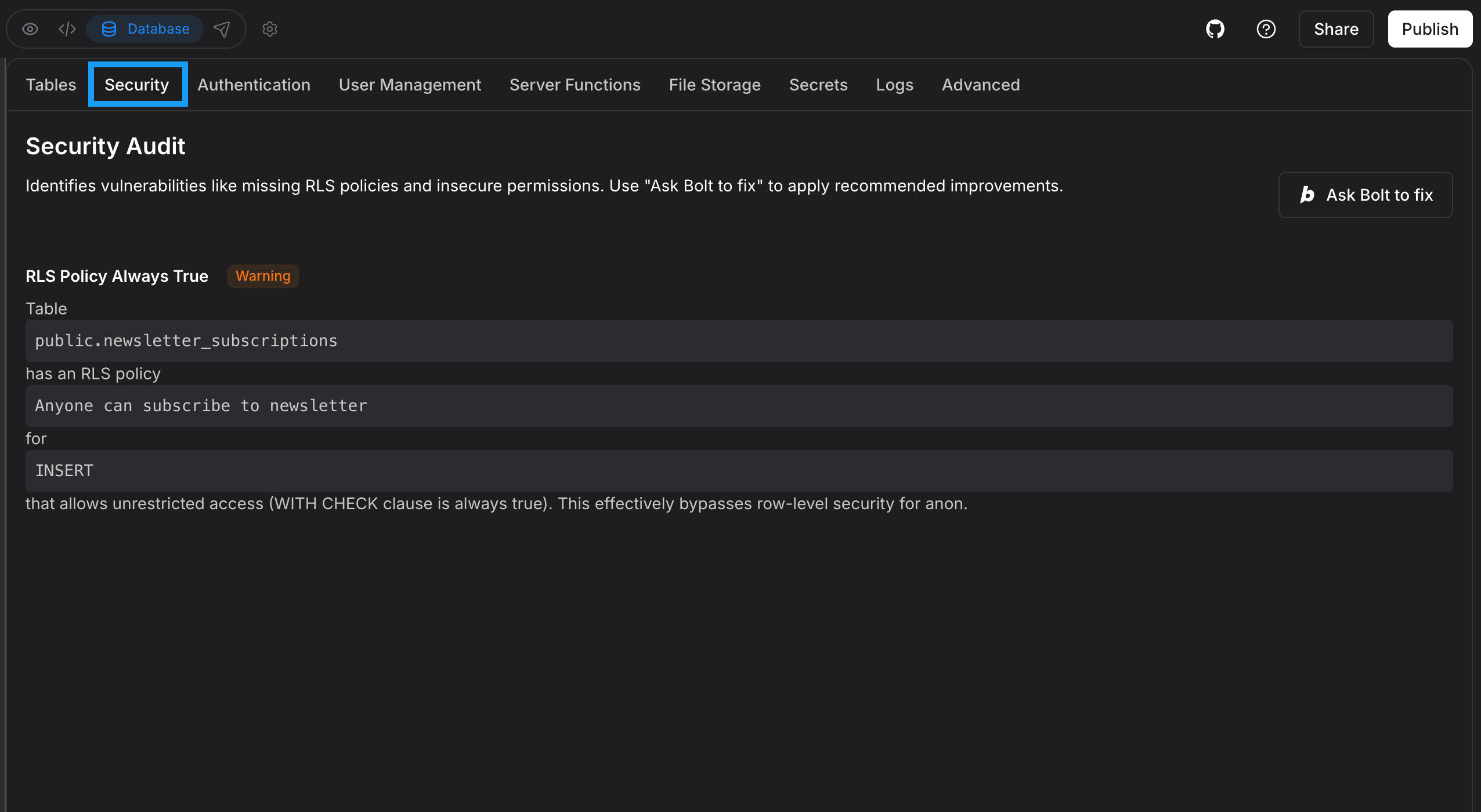 1. Log in to your Bolt project.
2. In the top center of your screen, click the **database icon**.
3. Click **Security**.
## Fix security issues
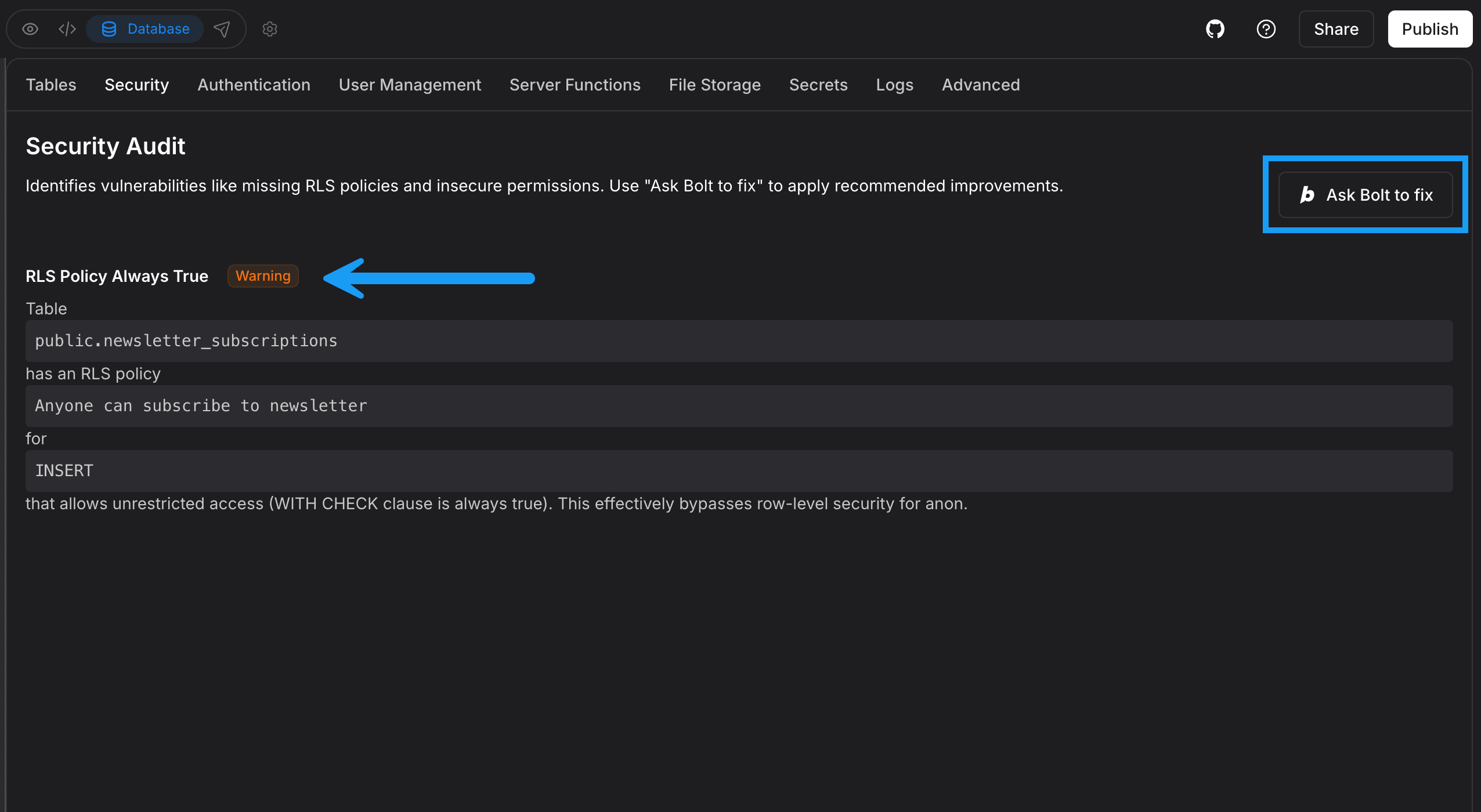
Any database security issues Bolt identifies appear on the `Security Audit` page. In the example screenshot below, the RLS Policy Always True warning shows:
1. Log in to your Bolt project.
2. In the top center of your screen, click the **database icon**.
3. Click **Security**.
## Fix security issues
Any database security issues Bolt identifies appear on the `Security Audit` page. In the example screenshot below, the RLS Policy Always True warning shows:
 Examples of other warnings include:
* Function Search Path Mutable
* Leaked Password Protection Disabled
If you see this warning, the **Prevent Leaked Passwords** setting is turned off for your database. It's on by default for Bolt databases, so this usually means it was turned off or your database is managed in Supabase using a free Supabase plan, where the setting isn't available. To learn more, see [Leaked Password Protection](/cloud/database/authentication#leaked-password-protection).
To correct database security issues, click **Ask Bolt to fix**.
Examples of other warnings include:
* Function Search Path Mutable
* Leaked Password Protection Disabled
If you see this warning, the **Prevent Leaked Passwords** setting is turned off for your database. It's on by default for Bolt databases, so this usually means it was turned off or your database is managed in Supabase using a free Supabase plan, where the setting isn't available. To learn more, see [Leaked Password Protection](/cloud/database/authentication#leaked-password-protection).
To correct database security issues, click **Ask Bolt to fix**.