> ## Documentation Index
> Fetch the complete documentation index at: https://support.bolt.new/llms.txt
> Use this file to discover all available pages before exploring further.
# Contact support
> Get the answers you need to keep building great things.
We understand that unexpected issues can be frustrating. If you haven't found an answer to your question in the Help Center, reach out for further help.
Email support for product and technical questions is only available to paid plan users, but community support is available to all in the [Bolt Discord community](https://discord.com/invite/stackblitz).
* **If you're on a free plan**: Reach out for community support on Discord. The Bolt Discord community is full of knowledgeable members who may be able to help. If you're interested in upgrading to a paid plan, view the Bolt [Pricing page](https://bolt.new/?showPricing=true).
* **If you're on a paid plan**: Email us at [support@bolt.new](mailto:support@bolt.new) using the email address associated with your paid account. Our team responds Monday through Friday during business hours.
## Report an issue
Before reaching out, complete the troubleshooting steps related to the problem you're having. This helps you gather information so our support team can identify the problem faster. See the following troubleshooting documentation:
* [Login issues](/troubleshooting/login-issues)
* [Bolt issues](/troubleshooting/issues) like preview or prompting errors
* [Integration issues](/troubleshooting/integrations-issues) like domain errors or GitHub issues
### Capture the error details
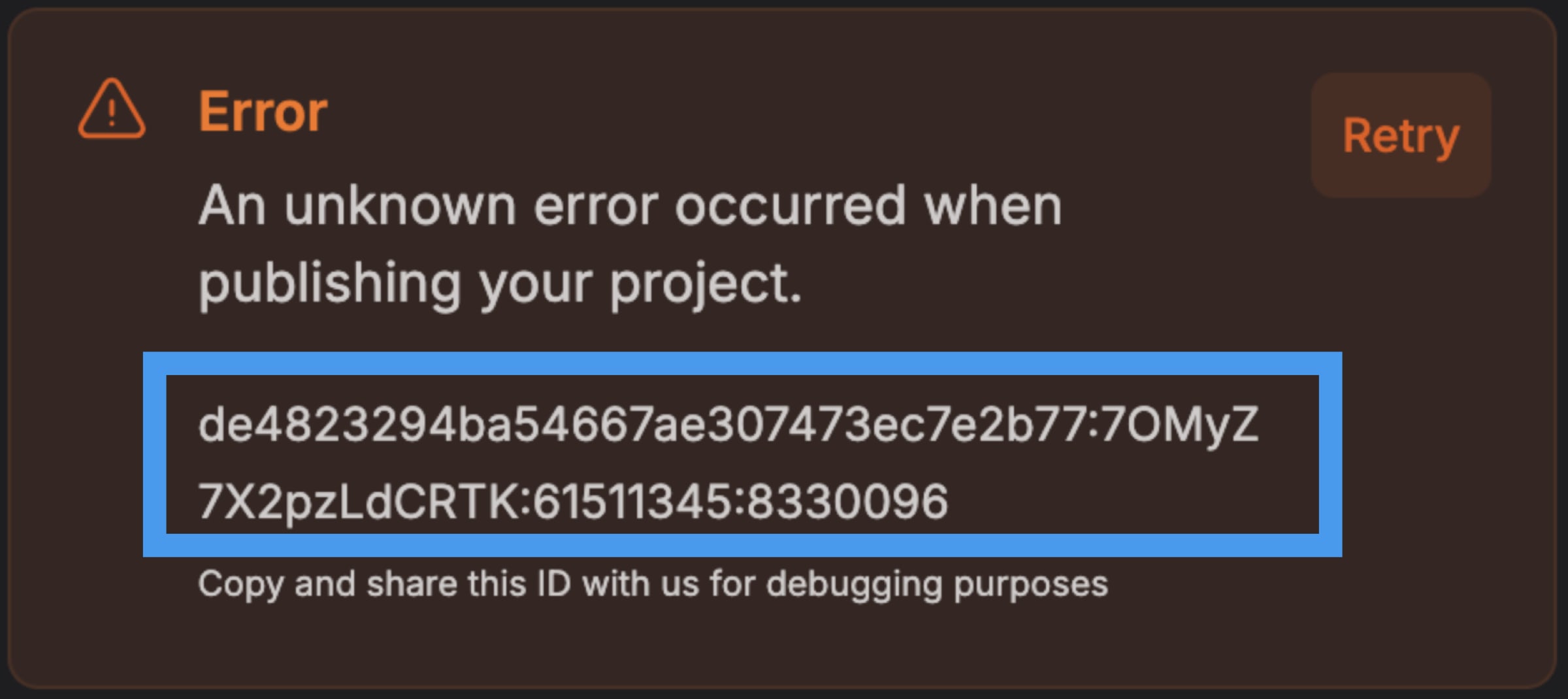
Take a screenshot of any error messages you see, and save the error ID or message ID.
* If an error appears in the chat, the error ID is at the bottom of the message.
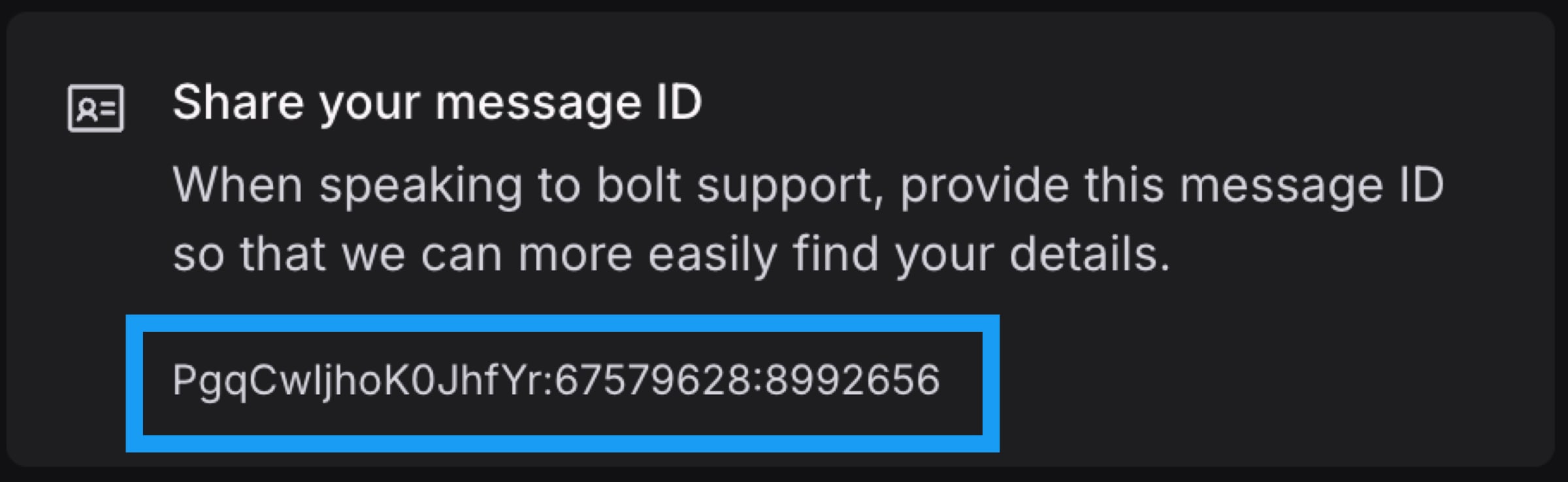
 * If no error appears in the chat, get the message ID:
1. Click the **three dots icon** at the bottom of the message, then click **Report issue**.
2. Copy the ID under **Share your Message ID**.
* If no error appears in the chat, get the message ID:
1. Click the **three dots icon** at the bottom of the message, then click **Report issue**.
2. Copy the ID under **Share your Message ID**.
 ### Email support
When contacting Bolt support, use the email address associated with your Bolt account. For security reasons, we can't look up your account using a different email address.
Email [support@bolt.new](mailto:support@bolt.new) and include the following information:
* The error message or error ID
* Your project's URL, which looks similar to `https://bolt.new/~/sb1-abc12def`
* A description of the problem you experienced
* The type of device and browser you're using (for example, Chrome on a laptop)
* The approximate time you experienced the issue, including your time zone
### Email support
When contacting Bolt support, use the email address associated with your Bolt account. For security reasons, we can't look up your account using a different email address.
Email [support@bolt.new](mailto:support@bolt.new) and include the following information:
* The error message or error ID
* Your project's URL, which looks similar to `https://bolt.new/~/sb1-abc12def`
* A description of the problem you experienced
* The type of device and browser you're using (for example, Chrome on a laptop)
* The approximate time you experienced the issue, including your time zone