

Bolt shares an account with StackBlitz, its parent company. Your sign-in methods, email address, username, and account deletion are all managed in your StackBlitz settings at stackblitz.com.
Sign up for Bolt
- Go to bolt.new.
- To open the sign-up dialog, click Get started or submit a prompt.
- Choose how you want to sign up:
- Click Sign up with Google.
- Click Sign up with GitHub, then authorize the app on GitHub’s authorization screen.
- Click Sign up with email and password, then enter your email address, a username, and a password.
- Click Sign up with SSO, then enter your work email address. If your organization has already set up single sign-on, Bolt redirects you to your organization’s sign-in page. This option is available only on Enterprise plans.
Confirm your email address
- Open your email inbox and find the message from Bolt.
- In the email, click Confirm your email, then return to Bolt and sign in.
Sign in to Bolt
- Go to bolt.new.
- In the top right of your screen, click Sign in.
- Click the option you used to create your account: Sign in with Google, Sign in with GitHub, Sign in with email and password, or Sign in with SSO (Enterprise plans only).
- Enter your email and password, or follow the on-screen instructions to verify your Google, GitHub, or workplace SSO credentials.
Check which sign-in methods you’ve connected
The Credentials page of your StackBlitz settings shows which external sign-in providers, like Google or GitHub, you’ve connected.- Sign in to StackBlitz.
- In the left menu, click Settings, then click the Credentials tab.
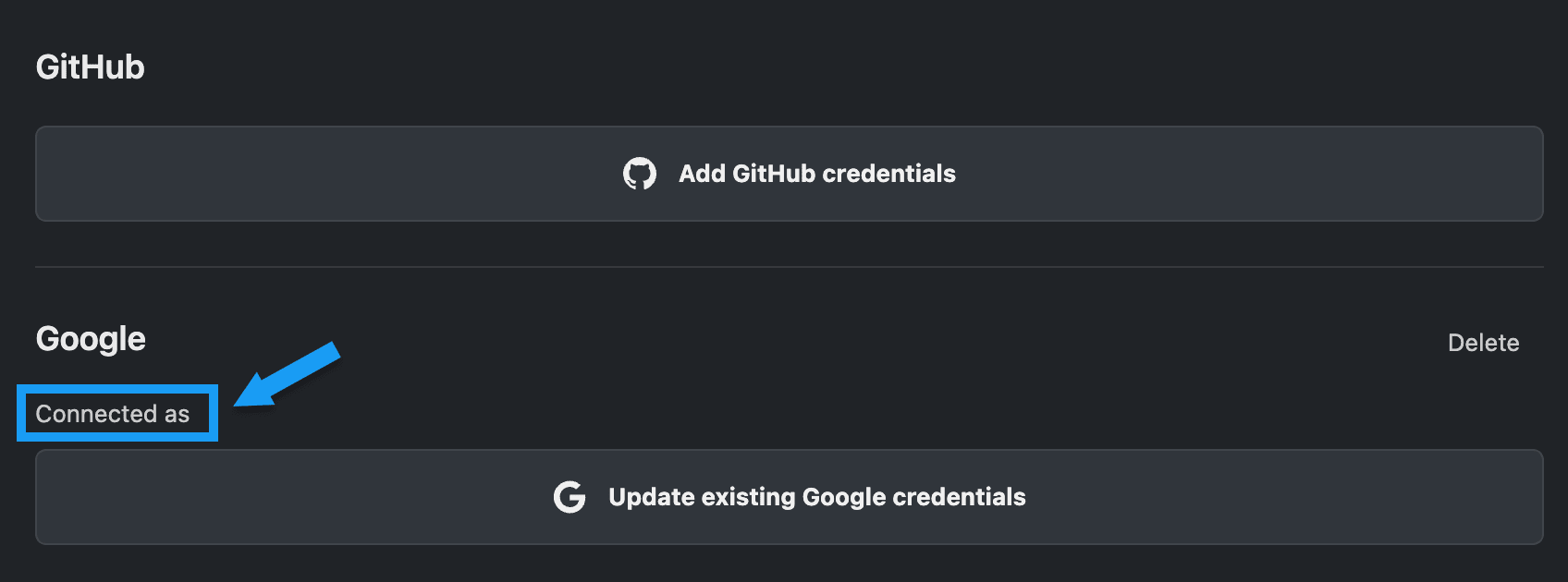
- If a provider is connected, you’ll see the label Connected as, an Update existing button, and a Delete link. That provider manages your password.
- If the provider isn’t connected, you’ll see an Add button, such as Add GitHub credentials.
Update existing credentials sends you back through the provider’s sign-in flow rather than opening a form in Bolt or StackBlitz. Use this option if you recently reset your password with that provider.
Check which method you’re signed in with
The Sessions page of your StackBlitz settings shows your active sessions, including the device you’re using Bolt on and how you’re signed in.- Sign in to StackBlitz.
- In the left menu, click Settings, then click the Sessions tab.

Reset your password
If you’ve forgotten your password, click Forgot password? on the Bolt sign-in screen and follow the instructions sent to your email. If you signed up for Bolt using Google or GitHub and have forgotten the password to that account, reset it with that provider:- GitHub: See GitHub’s password reset flow.
- Google: Go to your Google account, click Google passwords, and then follow the Forgot password? flow.
Switch between workspaces and accounts
Your Bolt account has one set of credentials, and that account can have access to more than one workspace. If you’ve signed up for Bolt more than once using different email addresses, you have more than one account.Switch to another workspace in the same account
For example, if you sign up for an individual account using your email address, then later join a team using the same email, you still only have one account, but it has access to both your individual workspace and the team’s workspace. Switching between these workspaces doesn’t require signing out or signing in again.- At the top of the left sidebar, click your account name.
- Under Your teams, select the workspace you want to use.
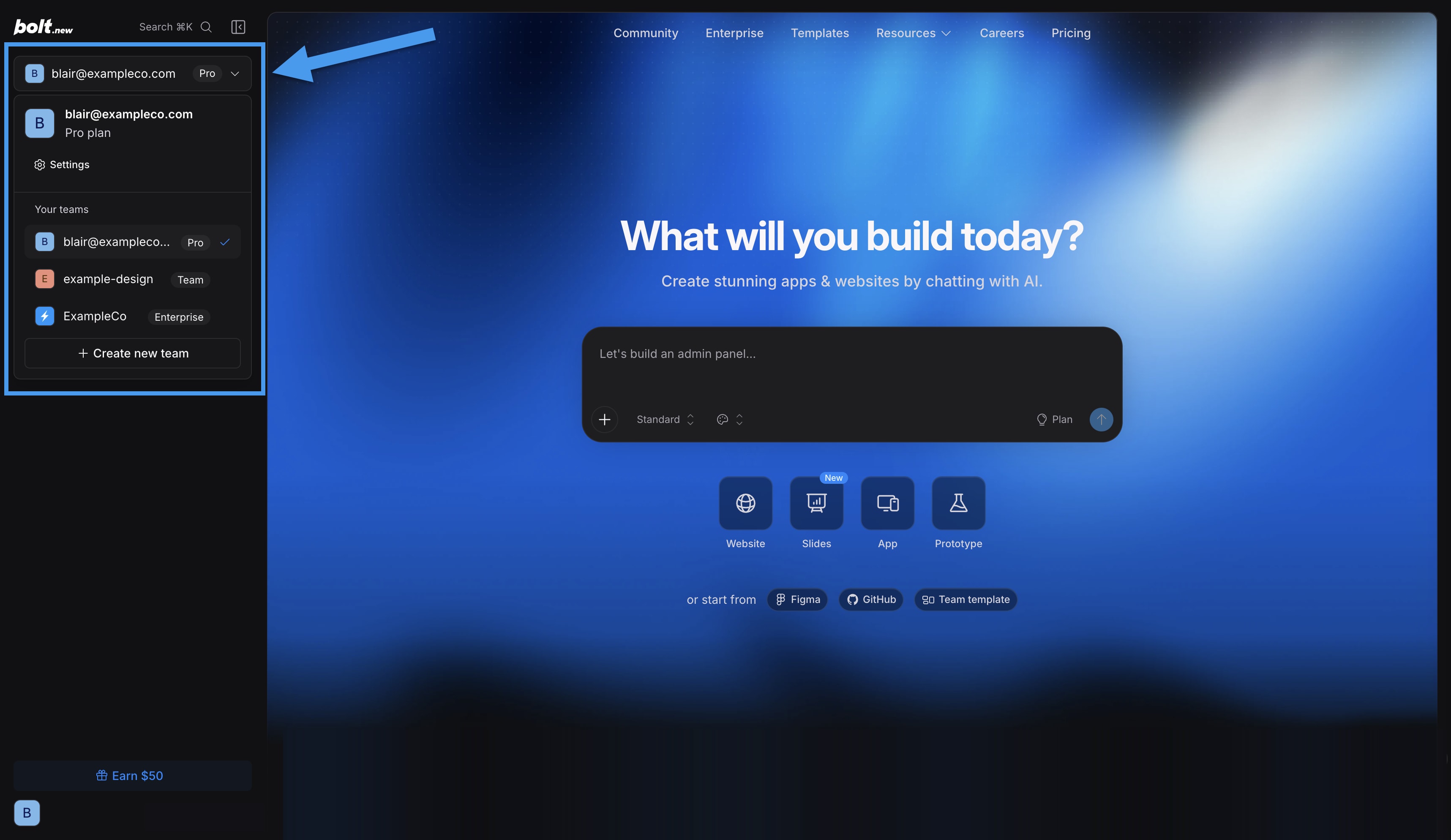
Switching workspaces doesn’t move your projects. A project stays in the workspace where it was created unless you transfer it.
Sign in to a different Bolt account
If you sign up for Bolt multiple times using different email addresses, you have different accounts. To switch from one account to a different one, you need to sign out of Bolt first, then sign in using the other account’s credentials.- Sign out of Bolt.
- On the sign-in screen, sign in with the other account’s credentials.
Sign out of Bolt
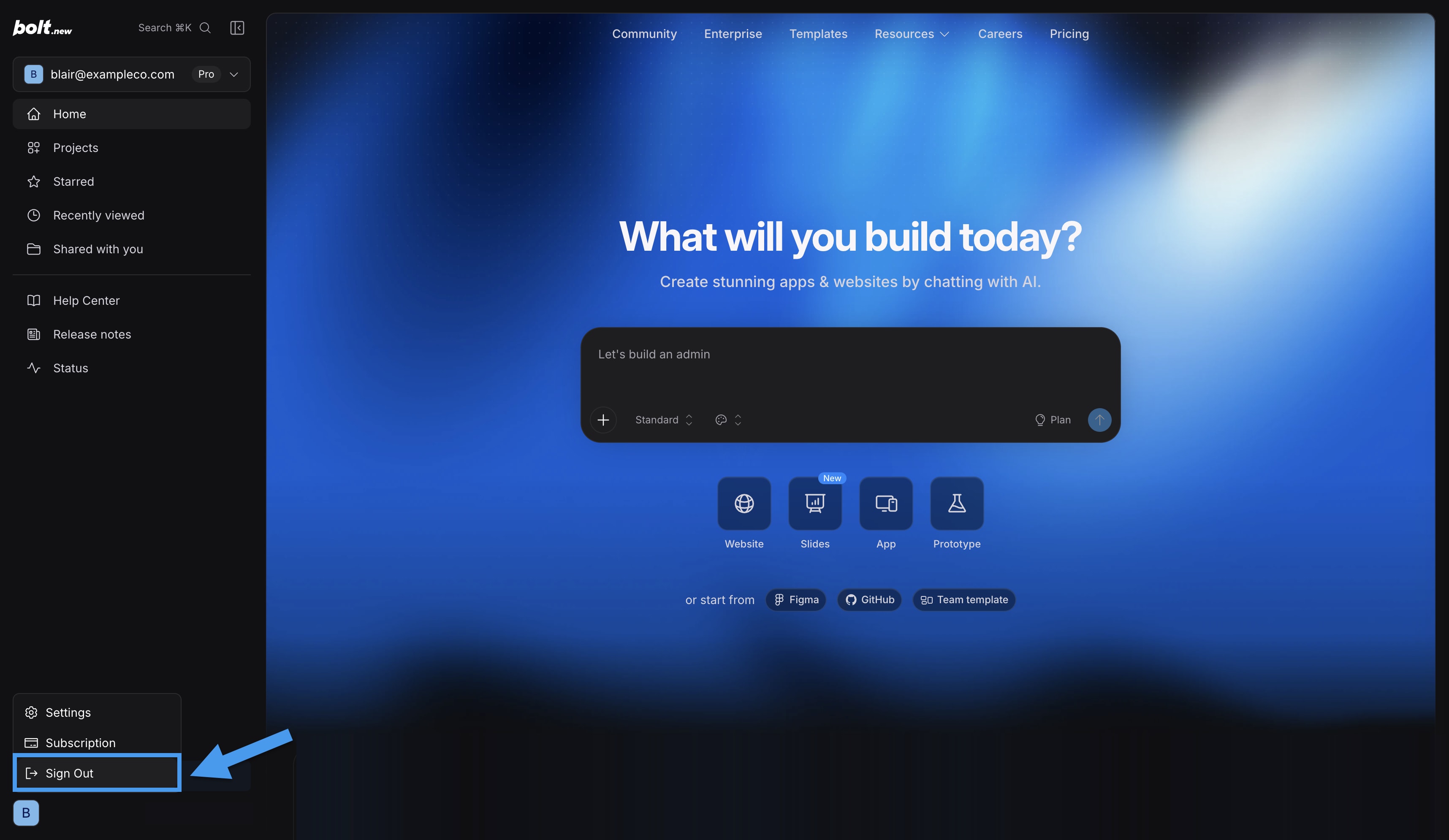
- At the bottom of the left sidebar, click your profile icon.
- Click Sign Out.
Manage your account details
Your email address, username, and account deletion are managed through your StackBlitz profile at stackblitz.com.Change your email address
The email address you use to log in to Bolt is managed through your StackBlitz account. To change the email address used to log in and receive notifications, add the new email you want to use, then delete the old one.If you log in with GitHub or Google, you need a StackBlitz password before you can change your email address. You can create one by clicking Forgot password? on the Bolt sign-in screen.
1
Add a new email
- Sign in to StackBlitz.
- In the left menu, click Settings.
- Click the Profile tab.
- Scroll down to the Emails section.
- Enter your new email address, then click Add.
- Go to your email account and find the StackBlitz confirmation email, then click Confirm your email.
- Return to your StackBlitz profile and refresh the page. You should now see your new email listed.
2
Confirm your new email works
- Open a private or incognito browser window and log in to Bolt using your new email address and StackBlitz password.
- After confirming you can log in, return to your StackBlitz profile.
3
Make your new email your preferred login email
- In the Emails section, set your new email as Preferred.
- Next to your old email, click the trash can icon to delete it.
Change your Bolt username
- Sign in to StackBlitz.
- In the left menu, click Settings.
- Click the Profile tab.
- Scroll down to the Change username section.
- Click Edit.
- Enter a new username (without spaces).
- Click Save.
Delete your account
- Sign in to StackBlitz.
- In the left menu, click Settings.
- Click the Profile tab.
- Scroll down to the Account deletion section at the bottom of the page.
- Click Delete my account.
- You’ll see one of two options:
-
If you have active subscriptions: Click Billing settings to cancel them first.
See Cancel a subscription to learn more.
- If you don’t have active subscriptions: Click Permanently delete my account.
-
If you have active subscriptions: Click Billing settings to cancel them first.